

PDF EXPORT GUIDES
Adobe InDesign
Exporting a print-ready PDF from InDesign, step by step.
PDF export settings
No changes are needed on the "Security" or "Summary" tabs.
- 01
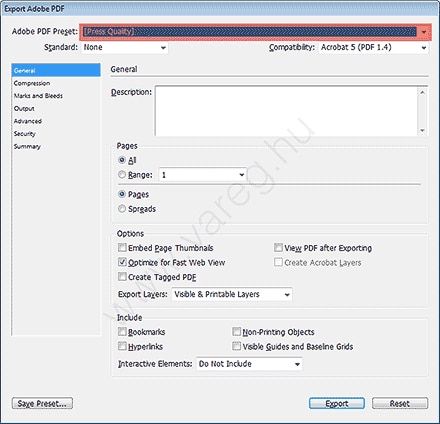
General
Set the "Adobe PDF Preset" to the factory "[Press Quality]" setting.
- 02
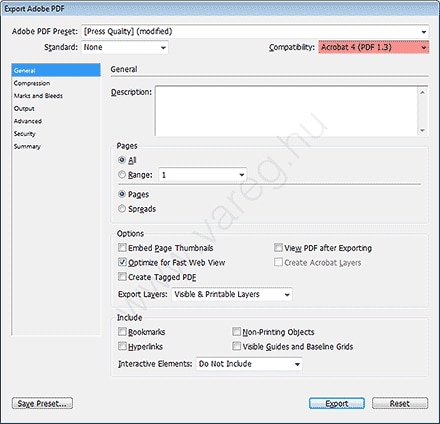
General
Set "Compatibility" to "Acrobat 4 (PDF 1.3)".
- 03
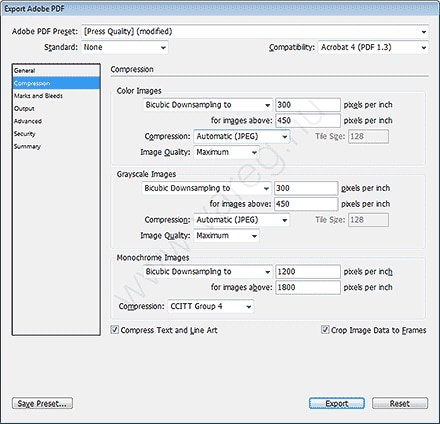
Compression
If the settings shown below already match what you see, there is nothing to change on this tab.
- 04
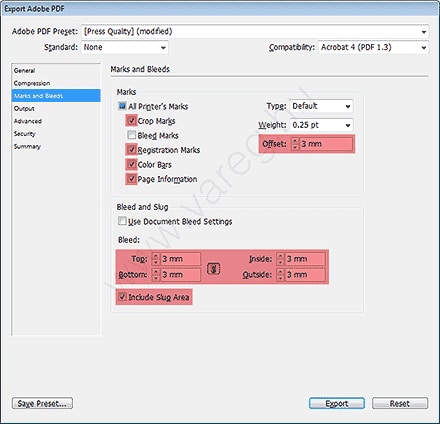
Marks and Bleeds
Set the parts marked in red to match the screenshot; if you used a 5 mm bleed, set both "Offset" and "Bleed" to 5 mm!
- 05
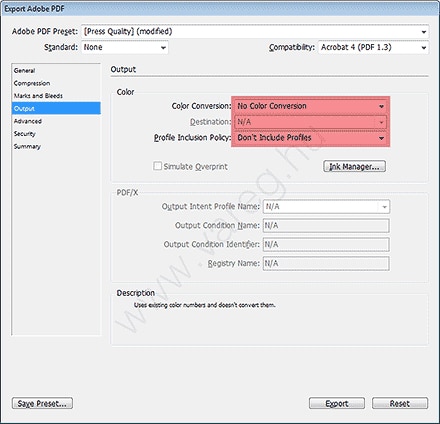
Output
Set "Color Conversion" to "No Color Conversion"; this setting assumes every image used in the publication is already in CMYK mode!
- 06
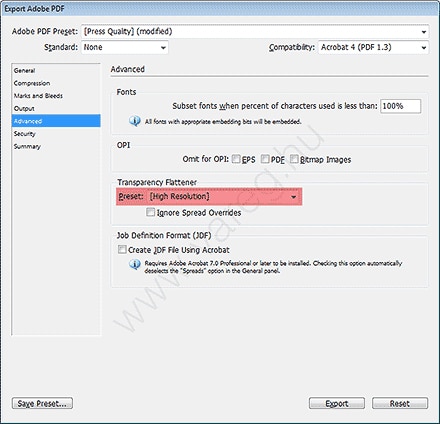
Advanced
Set "Transparency Flattener" to "[High Resolution]".
Questions about the export?
We help with the right settings. Response time: 24–48 hours.